
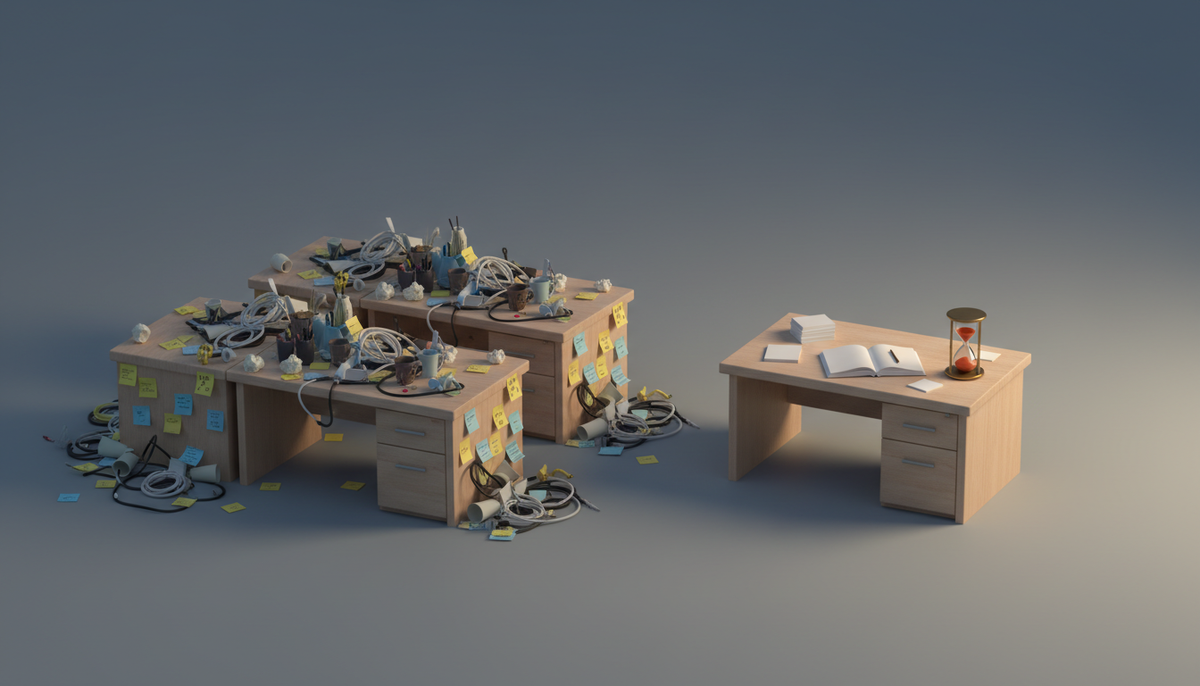
It's Tuesday night. You have a board in one tab, a notes app in another, and a to-do list you last opened in March.
You know what you should work on. You just can't see it in one place.
That's the real tax of building alone. Not the coding. The switching.
This post is a setup, not a sales pitch. It shows how to run tasks, notes, and your daily plan in one free workspace, and it's honest about when other tools are the better call.
First, what Zoobbe actually is
Zoobbe is Trello's boards plus Notion's docs in one workspace. Your team can edit those docs together, live. It's free forever, and you can start without a credit card.
If you build solo, that last part matters more than the collab part. There's no team to convince. No seat math. You sign up and you have a board and a page.
Why three tools stop working
Nothing is wrong with any of your tools. The problem is the gaps between them.
Your board holds the tasks. Your notes app holds the reasoning. Your to-do list holds today. None of them know about the other two.
So the spec drifts from the card. The card drifts from your day. And you spend Sunday night rebuilding a plan you already made twice.
No amount of discipline fixes a setup where the info can't live together.
The three-layer setup
Here's the whole thing. Three layers, one workspace.
Layer 1: one board for the product
Make a single board. Resist the urge to make five.
Four lists is plenty:
- Ideas — raw, unfiltered, no guilt
- This week — what you actually picked
- Building — cap it at two cards
- Shipped — the list you scroll when motivation dips
Add labels for the parts of your product: marketing, backend, UI, support. Colors do the sorting your brain won't.
Then add two custom fields to your cards. A number field for effort. A single-select for where it came from: user request, your idea, or a bug. In three weeks you'll know something useful. Most solo builders find they spend their whole week on their own ideas and none on the requests sitting in their inbox.
Set due dates only on things with a real deadline. A launch date is real. "Refactor the auth flow" is not.
Layer 2: pages for the thinking
Cards are bad at nuance. A card title can't hold why you picked Stripe over Paddle.
So write pages. They're rich-text docs that live in the same workspace as your board, and they nest inside each other.
A simple tree that works:
- Product → the pitch, the pricing page copy, the roadmap you keep rewriting
- Decisions → one page per real fork in the road
- Growth → what you tried, what flopped
Attach files right to the page. Screenshots, mockups, the CSV of your first 40 signups.
The point isn't tidiness. It's that in October you'll ask "why did I do it that way?" and there will be an answer.
Layer 3: My Day for, well, today
This is the layer most tools skip, and it's the one that keeps solo builders sane.
My Day is a personal daily list. It's yours only. You pick a handful of things, put them in the order you'll actually do them, and add a time estimate to each.
Two details make it stick.
First, you can add a note to a task. "Just the migration script, not the UI." Future you needs that.
Second, unfinished tasks carry to tomorrow. No ceremony, no rebuilding the list from scratch. The stuff you dodged three days running becomes very obvious, very fast.
Pair it with a timer on the card you're working. Start a stopwatch, pause it when you get pulled away, complete the session when you're done. After a week, the session history tells you where the hours went. Usually not where you guessed.
Try the setup free
You can build all three layers in an afternoon. Start with the solo builder workflow, free. No credit card.
Honest comparison: what the other tools are good at
You searched for an all-in-one workspace, so you've probably already tried some of these. Here's the fair version.
Trello
Trello's board is genuinely excellent. It's the fastest thing on the internet for dragging a card from one column to another, and it never gets in your way.
The seam shows when you need more than a board. Docs, structured fields, time tracking. You bolt on a Power-Up, then another, then you're paying for a stack.
If you're already on Trello, you don't have to start over. Zoobbe imports Trello boards, and your cards, checklists, comments, and members come across.
Notion
Notion is beautiful for writing and databases. If your project is mostly research and docs, it's hard to beat.
It's freeform, though. You build your own system before you build your product. And a Notion board is a database view, not a real Kanban with priorities, timers, and rules baked in.
Linear
Linear is superb if your work is engineering issues and nothing else. Fast, opinionated, clean.
But solo builders aren't only engineers. You're also doing marketing, support, and pricing. Those don't fit an issue tracker.
ClickUp
ClickUp has more features than everyone. That's the pitch and the problem. Alone, you'll spend more time in settings than in your product.
The thing that pays off later
Solo is usually temporary. A contractor shows up. A cofounder. A first hire.
When that happens, your workspace already has what you need. Pages are edited together in real time, so two people can work on the same doc without refreshing. You can see who's viewing a page or board right now. Boards can stay private, open to your workspace, or go public.
And rules can pick up the busywork. When a card moves to Building, assign it and set a priority. When a due date approaches, get a notification. Trigger, condition, action. You set it once.
None of that costs you anything while you're alone. It's just there when you're not.
Start small, seriously
Don't build the perfect system. You'll abandon it by Thursday.
Do this instead:
- One board, four lists. Dump everything in Ideas.
- Move three cards to This week. Only three.
- Write one page: what you're building and who it's for.
- Tomorrow morning, put two things in My Day.
That's it. Add labels, fields, and timers when you feel the need, not before.
Start with the solo builder workflow, free. Free forever, no credit card, and no team to convince.
FAQ
Is the free plan actually usable, or is it a trial?
It's a real free plan, not a countdown. Paid tiers exist for bigger teams and extras, but a solo builder can run boards, pages, and My Day without paying.
Can I move my Trello board over?
Yes. Zoobbe imports Trello boards along with cards, checklists, comments, and members, and shows import progress as it runs. Fluent Board imports work too.
Is there a mobile app?
No native iOS or Android app. It's web, and it works on a phone browser.
Can I search across everything I write?
Search covers board and card titles today, not the full text inside pages and comments. Worth knowing before you dump a novel into a page and expect to find one line of it later.
What if I want to build my own thing on top of it?
There's a public REST API, OAuth 2.0 with PKCE, API keys with scopes, and signed webhooks. Handy if your side project wants to talk to your workspace.